Least Square Channel 
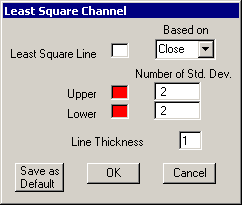
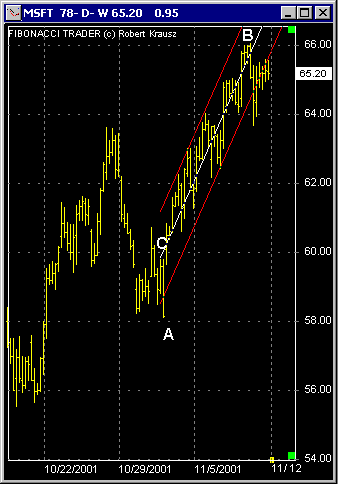
As you select A to B, the program will draw a Least Square Line 'C' and the 2 channel line using the Number of Standard Deviations defined in the Least Square Channel window. In this window you can also choose the color and thickness for the lines as well as the base for the calculation of the Least Square Line.
If you right click on the main line (C) a menu will appear with the options to delete, edit or set an alarm for the channel.
The 3 possible alarms are.
1. Set the alarm to none.
2. Set it to go off on a bar that closes past the top or bottom channel lines.
3. Set it to go off on a bar that crosses the top or bottom channel lines.
Once the alarm is initiated it will be set to NONE automatically
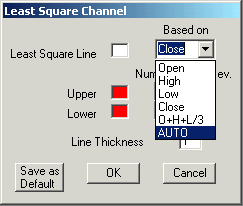
When using the option AUTO o\from the 'Based on' menu the program will use the highs on a up trend center line and the low on a down trend center line.
Since 1992